Twitch Overlay Design for a Complete Gaming PC Setup
When you’ve assembled the ultimate gaming PC—with its powerful graphics card, crystal-clear microphone, and buttery-smooth keyboard—your stream’s visual presentation becomes the final, critical component. A Twitch overlay is the suite of graphics that frame your live broadcast. It’s not just decoration; it’s functional channel art that displays information, guides viewer interaction, and establishes your brand’s visual identity from the moment someone clicks on your stream.
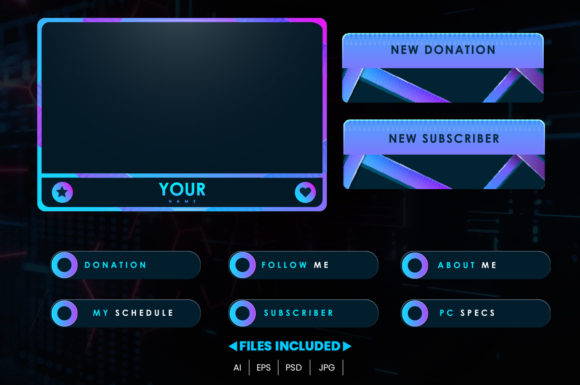
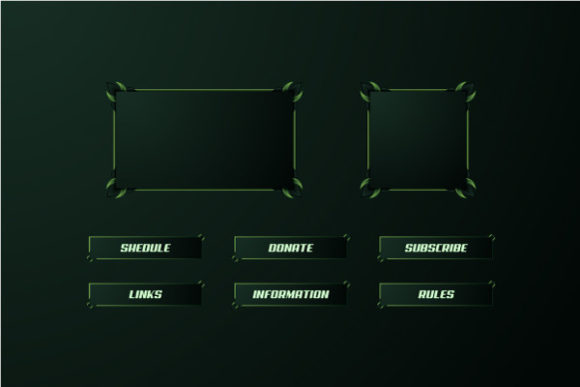
Think of it as the digital set design for your show. This design typically includes panels for your latest follower or subscriber, a chat box display, a camera frame, and alerts for events like donations. For many, the overlay is the bridge between the raw gameplay and a polished, professional-looking production. And with today’s tools, creating a unique overlay doesn’t require being a graphic design expert. Modern overlay packs are designed to be very easy to edit, allowing you to change colors, move elements, hide and show specific layers, and adjust editable text to achieve a look that feels authentically yours.
Why a Customizable Overlay Matters to Different Creators
The importance of a thoughtful Twitch overlay design shifts dramatically depending on who you are and what you aim to achieve with your stream. A beginner might prioritize simplicity and ease of setup, while a seasoned professional focuses on brand consistency and advanced interactivity. An educator uses these graphics to highlight teaching points, and a business owner views them as a direct marketing asset.
This flexibility—the ability to tweak colors and rearrange elements—is what makes a good overlay system so valuable across such a wide spectrum. It allows the tool to adapt to the user’s goal, rather than forcing the user to conform to a rigid, one-size-fits-all design.
Beginners and New Streamers: Clarity and Confidence
For someone just starting out, the technical side of streaming can feel overwhelming. A pre-made, easily editable overlay provides a massive confidence boost. Instead of staring at a blank screen or a messy, homemade graphic, you start with a clean, professional-looking foundation. The priority here is speed and reliability. You want something that works immediately, looks good, and doesn’t crash your broadcast software.
Practical Example: A new hobbyist streamer downloads an overlay pack. They use the simple color editor to match the overlay’s theme to their favorite game’s palette—swapping blues for greens. They hide the complex “top donor” panel they don’t need yet and simply show their webcam frame and a clean chat display. Within minutes, their stream looks organized and intentional, helping them feel more prepared to engage with viewers.
Professional Creators and Business Owners: Brand and Commercial Value
For creators building a career or a business around their content, the overlay is part of their commercial identity. Every element is a brand touchpoint. The priorities shift to quality, consistency, and long-term usefulness. An editable overlay allows them to maintain a core visual language while updating text for seasonal events, promotions, or new sponsor integrations.
It’s about presentation that supports growth. A clean, recognizable design helps viewers instantly identify your stream, builds trust, and makes the channel look like a viable place for partnerships. The flexibility to move elements means they can perfectly align graphics with new hardware setups or camera angles without starting from scratch.
Evaluating an Overlay Pack: Key Priorities Across Audiences
Whether you’re evaluating a Twitch overlay for personal fun or professional advancement, several universal factors come into play, though their weight will differ.
Ease of Use and Flexibility
The promise of easy editing is paramount. Can you truly change colors without specialized software? Can you move the alert box to a different corner of the screen because your gameplay UI occupies that space? The ability to hide layers is crucial for simplicity; you might not need a complex tournament bracket graphic for a casual Friday night stream. This flexibility empowers you to adapt the design to your specific content, not the other way around.
Learning Value and Creativity
For educators, freelancers, or hobbyists interested in design, an overlay pack can be a practical learning tool. By dissecting how a professional overlay is constructed—seeing how layers blend and text is formatted—you gain insights into graphic design for video. Tweaking the editable text and experimenting with layouts fosters creativity and can lead to a uniquely personal result that sets your channel apart.
Quality and Reliability
No matter your audience, the overlay must be technically sound. High-resolution graphics that don’t pixelate on a 4K display, file formats compatible with OBS Studio or Streamlabs, and a structure that doesn’t overload your CPU are all essential. For professionals, this reliability is non-negotiable; a glitching overlay during a major sponsor stream is a disaster. For beginners, it ensures a smooth, stress-free start.
Making the Right Choice for Your Goals
Identifying whether a particular Twitch overlay design approach is right for you boils down to aligning its features with your current phase and aspirations.
If your primary goal is to have fun and share your gameplay with friends, a straightforward, easily customizable pack that gets you a clean look in under ten minutes is ideal. Your priority is presentation that enhances enjoyment, not business metrics.
If you are an educator streaming tutorials, you might prioritize overlays with clear, large text areas where you can place key learning points or definitions. The ability to show and hide informational layers during your stream becomes a powerful teaching aid.
For the entrepreneur or marketer, evaluate the overlay’s potential for integration. Can you seamlessly add your logo, website URL, or product imagery into the design framework? Does it feel cohesive with your other social media visuals? Here, the overlay is an investment in your brand’s visual ecosystem.
Ultimately, a well-designed Twitch overlay pack that offers true customization acts as a versatile toolkit. It respects that a streamer’s needs evolve—from a beginner’s first broadcast to a professional’s daily production—and provides the means to grow alongside them. By letting you change colors, move elements, and control every piece of text, it ensures that the final look of your stream, just like the gaming PC it runs on, is uniquely yours.