The WASD Keys: Beyond Gaming to Desktop Interface Control
The humble set of WASD computer keyboard buttons, arranged in a distinctive cluster on the left side of many desktop keyboards, represents one of the most significant and enduring user interface paradigms in digital history. While their origins are firmly rooted in gaming and cybersport, the influence of WASD as a control scheme has extended far beyond, becoming a de facto standard for navigation and interaction in various desktop software, creative applications, and simulation environments. Their simplicity, ergonomics, and intuitive mapping of directional control onto a physical interface offer a unique blend of efficiency and accessibility.
A Shift in Paradigm from Arrow Keys
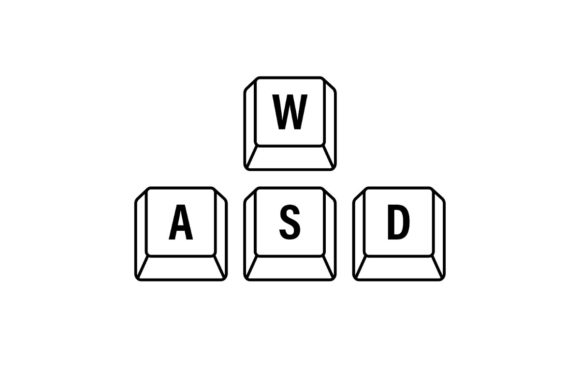
Before the dominance of WASD computer keyboard buttons, many games and early software relied on the dedicated arrow keys for directional input. This layout had inherent limitations. The arrow keys are often spatially isolated from other critical action keys, forcing the user's hand to move frequently between clusters, which slows down reaction times and disrupts flow. The adoption of WASD for desktop gaming interfaces solved this by centralizing control. The W, A, S, and D keys are positioned directly under the naturally resting left hand, with the index, middle, and ring fingers each responsible for a primary direction—forward, left, back, and right respectively. This allows the thumb and pinky finger to easily access surrounding keys for actions like jumping, crouching, reloading, or using items, creating a compact and efficient command zone.
The Anatomy of the WASD Cluster
Examining the physical and functional characteristics of these desktop interface keys reveals why they work so well. The keys are typically standard-sized, part of the main QWERTY letter grid, making them instantly recognizable and usable on any desktop keyboard without special hardware. Their arrangement forms a subtle inverted "T," which maps intuitively to cardinal directions in a 2D or 3D space. This spatial logic is easy to learn and becomes muscle memory quickly. Furthermore, because they are letter keys, they are programmable and remappable in virtually any software, offering immense flexibility. Users can shift the entire cluster to ESDF, for example, to gain access to more surrounding keys, demonstrating the scheme's adaptability as a foundational desktop control template.
Real-World Relevance in Professional and Creative Tools
The practical utility of WASD-style navigation is not confined to gaming. Many professional desktop applications have adopted similar key-based movement for navigating virtual spaces. In 3D modeling and CAD software, users often employ keyboard keys to orbit, pan, and zoom around their creations, sometimes using a modified WASD setup. Digital video editing suites sometimes use keyboard shortcuts for timeline navigation that echo this directional logic. Even in some virtual meeting and presentation software, presenters can use simple keyboard controls to move through virtual environments or slide decks. This cross-pollination highlights a fundamental truth: a good interface metaphor, like directional keys under the left hand, is portable and valuable across domains.
Observations on Ergonomics and Accessibility
A key advantage of using WASD computer keyboard buttons for desktop control is ergonomic. For extended periods of use, whether in a long gaming session or a deep creative workflow, keeping one hand anchored in a comfortable, neutral position reduces strain. The scheme does not require constant mouse movement for basic navigation, which can distribute physical load. From an accessibility perspective, the clear, discrete keys offer an alternative to mouse-based control, which can be challenging for some users with motor impairments. The predictable, tactile feedback of a keyboard key press can be more reliable than fine mouse gestures. This makes WASD and its variants a consideration in designing inclusive desktop interfaces.
Vector Control and Simulation Environments
In simulation software—from flight simulators to architectural walkthroughs—keyboard-based directional input remains crucial. Here, WASD often acts as a primary control for movement, while the mouse or specialized peripherals handle finer manipulation. The separation of gross movement (WASD) from fine control (mouse) creates a efficient workflow. This principle is visible in educational software used for virtual science labs or historical site explorations, where students navigate digital spaces using these familiar keys. The scheme's low cognitive load allows users to focus on the content of the simulation rather than the mechanics of movement.
The Iconic Status in Digital Culture
The WASD keys have transcended their functional role to become a cultural icon, a vector stock illustration of digital interaction itself. They are instantly recognizable symbols for gaming, control, and virtual navigation. This iconic status reinforces their standardization. When a new user sees a tutorial suggesting "use WASD to move," it carries a presumption of common knowledge. This cultural embedding reduces learning barriers for new software across the broad audience of consumers, hobbyists, and professionals entering any digital domain that employs spatial navigation.
Considerations for Implementation and Customization
While the default WASD mapping is powerful, its implementation is not universal. Considerations must be made for left-handed users, who might prefer mirrored configurations or dedicated left-handed keyboards. Furthermore, in complex desktop applications, pure WASD might be insufficient, needing to be combined with modifier keys (Shift, Ctrl, Alt) to access multiple movement speeds or modes. The ability to fully customize these key bindings is a critical feature for power users and professionals who tailor their workflow. Software that locks users into a non-customizable WASD scheme may face criticism from advanced users in cybersport and creative fields who rely on precise, personal configurations.
Beyond the Desktop: A Metaphor for Touch and Controller
The influence of this desktop interface paradigm has even extended to other platforms. On some touchscreen games, virtual directional pads are often arranged in a WASD-like pattern. The layout of buttons on many console game controllers also implicitly follows the logic of a central cluster for movement (the left thumbstick’s cardinal directions) surrounded by action buttons. This demonstrates that the core design principle—centralized directional input with peripheral actions—is a robust solution for real-time control, regardless of the physical form factor.
The enduring relevance of WASD computer keyboard buttons lies in their elegant solution to a fundamental problem: how to intuitively and efficiently translate intent for spatial movement into digital action. From its genesis in gaming and cybersport, it has become a versatile tool in the desktop interface toolbox, employed by educators navigating virtual classrooms, researchers exploring data visualizations, business owners presenting in virtual meeting spaces, and creators shaping digital art. Its characteristics—simplicity, ergonomics, and adaptability—offer practical benefits that have secured its place as a standard. As desktop and virtual environments continue to evolve, the underlying logic of this key cluster will likely continue to inform how we design for interaction and control.